WiFi that keeps dropping has a cause — radio, cable, or configuration — and it leaves evidence. We come to your Brisbane business with the instruments to find it: spectrum analysis for the airwaves, a Fluke tester for the cabling, and fifteen years of knowing where intermittent faults hide. Then we fix it.
Prefer to talk? Call Chris — 0412 853 618
Tell us the symptoms — when it drops, where it's slow, who suffers — and Chris will get back to you with straight advice and a fixed callout price. Prefer to talk? Call 0412 853 618. No pushy sales, just answers.
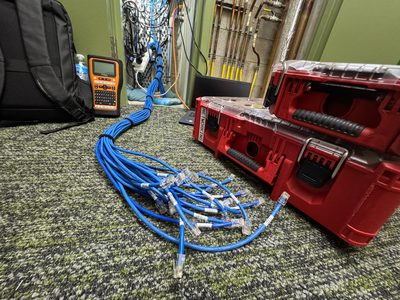
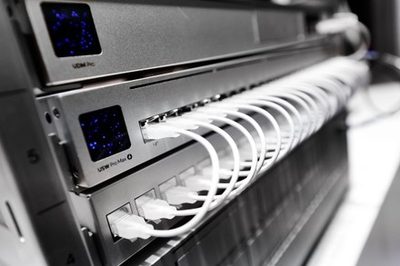
"The WiFi keeps dropping" or "the WiFi keeps disconnecting in the back room" is where most fixes stall — because the fault is intermittent, invisible to remote tools, and gone by the time anyone looks. On-site wifi troubleshooting works differently: we measure the radio environment, test the physical cabling, and audit the configuration in the building where the fault lives, while it's misbehaving.
Unified Network Solutions diagnoses business WiFi across Brisbane and South East Queensland with the instruments the job actually needs — spectrum analysis, survey tooling, and a Fluke DSX for the cable runs — backed by an IT background and ACMA Open Cabler registration #42489. The visit ends with the cause in writing and the fix either done or priced. No "have you tried turning it off and on," no parade of replacement routers, no guessing at your expense. When the wifi keeps disconnecting mid-meeting, the cause is physical more often than mystical — and findable.
No disrespect to IT providers — we partner with dozens. But most are software-and-server people: they can see your network's logical layer perfectly and its physical layer not at all. When a wireless fault has a physical cause, it survives every remote session, every firmware update, and every replacement access point, because nobody in the chain can measure radio or test a cable.
That's the gap our wifi troubleshooting fills. A marginal PoE run that browns out an access point under load looks exactly like "flaky WiFi" from the console — and tests as a hard fail on a Fluke in ninety seconds. The console was never going to see it; the instrument can't miss it. A neighbouring tenant's new gear stomping on your channels is invisible remotely — and obvious on a spectrum sweep.
We work alongside your IT provider, not against them: they keep the client and the network management, we bring the instruments and the cable testing, and the fault that's survived three remote fixes gets found. Plenty of our diagnostic work arrives as a white-label referral from the IT crew themselves.
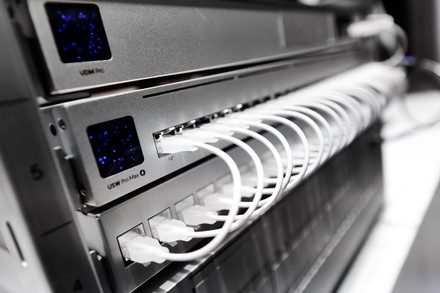
Every WiFi fault lives in one of three layers. The diagnostic tests all of them, because assuming the layer is how faults survive.
The radio. Coverage mapped, channels and congestion analysed, interference hunted — including non-WiFi sources (motors, microwaves, wireless cameras) that WiFi scanners can't see but spectrum analysis can. Roaming behaviour tested with real devices walking real paths.
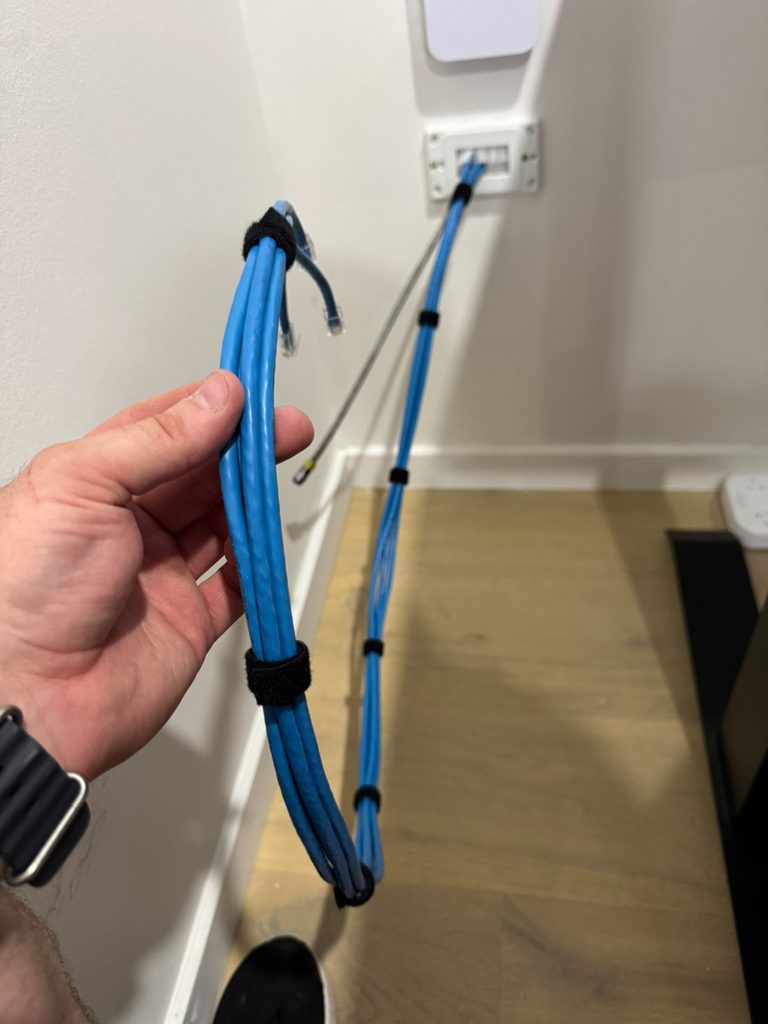
The wire. Every access point hangs off a PoE cable run, and marginal runs are the most-missed cause of "random" dropouts — fine at idle, browning out under load. Each AP's run gets Fluke-tested. As registered cablers, we fix what fails on the spot where the slack allows.
The configuration. Channel plans, transmit power, band steering, minimum RSSI, DHCP scopes, firmware, controller settings — the layer where well-meaning tweaks accumulate into faults. Config causes are usually fixed in the same visit, free of parts.
Fifteen years of fault-finding in the same building stock produces a familiar lineup.
Devices cling to the first AP they joined and drop at the edge of its range instead of handing off. The classic "drops when I walk to the meeting room" — fixed in settings, same visit.
A cable that passed for a desktop fails for a WiFi 6 AP drawing 20W+. Random reboots, afternoon dropouts, one AP always "weird" — the Fluke finds it in minutes.
CBD tenancies sharing airspace with a dozen neighbours, all on auto-channel, all fighting. A measured channel plan ends the food fight your gear can't win alone.
Lunchtime microwave, warehouse motor, ancient cordless headsets, wireless CCTV — invisible to WiFi tools, loud on spectrum analysis, and behind some of the strangest recurring faults we see.
Networks that grew past their settings: address pools sized for 2019's headcount, one AP serving sixty devices because two others quietly died months ago.
Access points and switches fail gradually — heat-stressed in Queensland ceiling spaces, dropping radios intermittently before they drop dead. Testing catches them mid-decline.
Half of wifi troubleshooting happens in the first phone call — the symptom pattern points at the suspect before we even arrive. Bring us yours.
Roaming settings, almost every time. Devices need to be told when to let go of an access point.
Load or interference on a schedule — lunch rush, a machine cycle, the neighbour's backup window. Time-correlated faults are the most diagnosable kind — tell us the schedule and we'll be there measuring when it happens.
It never is — random to humans means physical to instruments. Marginal cabling and dying hardware top this list.
Strong signal, terrible throughput: congestion, interference, or an upstream bottleneck that was never wireless at all.
New fitout next door, new hardware, new ISP router in a metal cabinet — the change is the clue, and we chase it first.
The industry's default answer to a wireless fault is new hardware — because selling boxes is easier than finding causes. Here's the case for diagnosis first.
A business with dropping WiFi replaces the router. Still drops. Replaces the access points. Still drops — because the cause was a marginal cable run, or the neighbour's interference, or a roaming setting that travelled into the new hardware's config along with everything else. Three rounds of hardware later, the fault is fully funded and entirely intact.
We see this story weekly, and the maths is consistently grim: the hardware spent on guesses would have covered proper wifi troubleshooting several times over — with the answer documented instead of still at large. Diagnosis isn't the slow path — it's the only path that ends.
Measurement makes the fault visible, and visible faults get cheap fast. A spectrum sweep that shows your channel buried under three neighbours costs an hour and fixes with a channel plan. A Fluke test that fails one run costs minutes and fixes with a re-termination. Even when the answer genuinely is new hardware, the diagnosis means you buy the right hardware once — sized and placed by data.
Every diagnostic ends with written findings whether the fix is ours or not. The evidence is yours: take it to your IT provider, your ISP, or your landlord. Faults with documentation get resolved; faults with opinions get debated.
A short phone rundown — what drops, when, where, who. The pattern narrows the hunt before we arrive, and we arrive with the right gear.
Radio swept, suspect cable runs Fluke-tested, configuration audited — during the hours the fault actually happens, around your operation.
What's wrong, the evidence, and the fix — documented. If it's your ISP's problem, you get the data to make that a short conversation.
Config and termination causes fixed same-visit. Parts and new runs quoted on the spot and scheduled fast — by the same people who found the fault.
Fault-finding rewards the contractor who can see every layer — and is licensed to fix all of them.
Spectrum analysis, survey tooling, and Fluke DSX cable certification on every diagnostic — the fault is shown, not theorised.
ACMA Open Cabler #42489 with an IT background — when the cause is physical, the same visit that found it can fix it legally and properly.
White-label fault-finding for IT companies whose remote tools have hit their limit — your client, our instruments, the fault found.
“We'd been chasing random dropouts for months. ISP said it wasn't them, IT said it wasn't them, round and round. UNS tested it properly and found the actual cause within a couple of hours. What I appreciated most was they didn't try to flog us a whole new system first — they checked the basics. Rare these days.”
A standard on-site diagnostic visit for a Brisbane business — testing radio, cabling, and configuration, with a written findings-and-fix summary — is a fixed-price callout, typically a few hundred dollars depending on site size. Many faults are fixed in the same visit at no extra labour; bigger fixes are quoted separately so you decide with the diagnosis in hand. Call Chris on 0412 853 618.
The usual suspects, in rough order: roaming misconfiguration (devices clinging to far access points), interference or channel congestion, an overloaded access point, a marginal PoE cable run browning out the AP, DHCP exhaustion, or failing hardware. Each leaves different fingerprints in testing, which is why on-site measurement beats remote guessing — intermittent faults especially live where only instruments can see them.
This is most of our diagnostic work. IT providers are good at the network's logical layer but most can't measure radio or test cabling — so wireless faults with physical causes survive every remote fix. We bring the missing instruments: spectrum analysis for the radio, Fluke certification for the cable runs, and the cabler registration to fix what they find. We work alongside your IT provider, not against them.
Three layers. Radio: signal coverage, channel congestion, interference (including non-WiFi sources), and roaming behaviour. Physical: the PoE cable runs feeding each access point, tested with a Fluke DSX — marginal cabling is the most-missed cause of "random" dropouts. Configuration: channels, power, band steering, DHCP, and controller settings. The fault is in one of those layers, and the testing says which.
Often, yes. Configuration causes — channel clashes, roaming settings, DHCP scope — are fixed on the spot. A failed termination gets re-punched the same visit. Faults needing parts or new cable runs are quoted immediately with the diagnosis as evidence, and scheduled fast. Either way you leave the visit knowing exactly what's wrong, in writing.
Genuinely useful question — they fail differently. If wired devices are fine and wireless ones suffer, it's the WiFi. If everything drops together, it's likely the connection or router. Part of our diagnostic separates the two with measurements, so if the evidence points at your internet service you take data to your provider instead of arguing in circles — and if it's the WiFi, we fix it.
For serious home setups, yes — home offices that earn a living, large or multi-storey homes, and properties with outbuildings. The same instruments and method apply. For a standard small-apartment router issue, we'll say so honestly on the phone rather than charge a callout that isn't worth it to you.
We service Brisbane CBD, North Brisbane, South Brisbane, Gold Coast, Sunshine Coast, Ipswich, Logan, Moreton Bay, Redlands, and the wider South East Queensland region. For larger projects, we can service regional Queensland by arrangement.
On-site wifi troubleshooting and diagnostics across Brisbane CBD and metro, Logan, Ipswich, Redlands, Moreton Bay, the Gold Coast, and the Sunshine Coast — offices, warehouses, clinics, venues, and the serious home setups in between. Intermittent faults, recurring dropouts, and the WiFi problems that have already outlasted two other contractors: bring the symptoms, we'll bring the instruments, and the wifi troubleshooting visit ends with the cause in writing. Same-day and next-day diagnostics are usually available for businesses where the wireless is genuinely stopping work. "WiFi keeps disconnecting" is the most common phrase in our inbox — and when wifi keeps disconnecting in one spot, one hour or one device class, that pattern is the diagnosis half-done.
Stop rebooting it and start measuring it. Book a wifi troubleshooting visit — we'll find the actual cause, show you the evidence, and fix it properly. If the wifi keeps disconnecting, the network is leaving you clues — when wifi keeps disconnecting on a pattern, we read it; when wifi keeps disconnecting at random, we instrument it.
Call 0412 853 618 Book a Diagnostic Online Unified Network Solutions